Linking Page
The linking page allows for the linking of an Observation and associated Data Product, to one or more targets
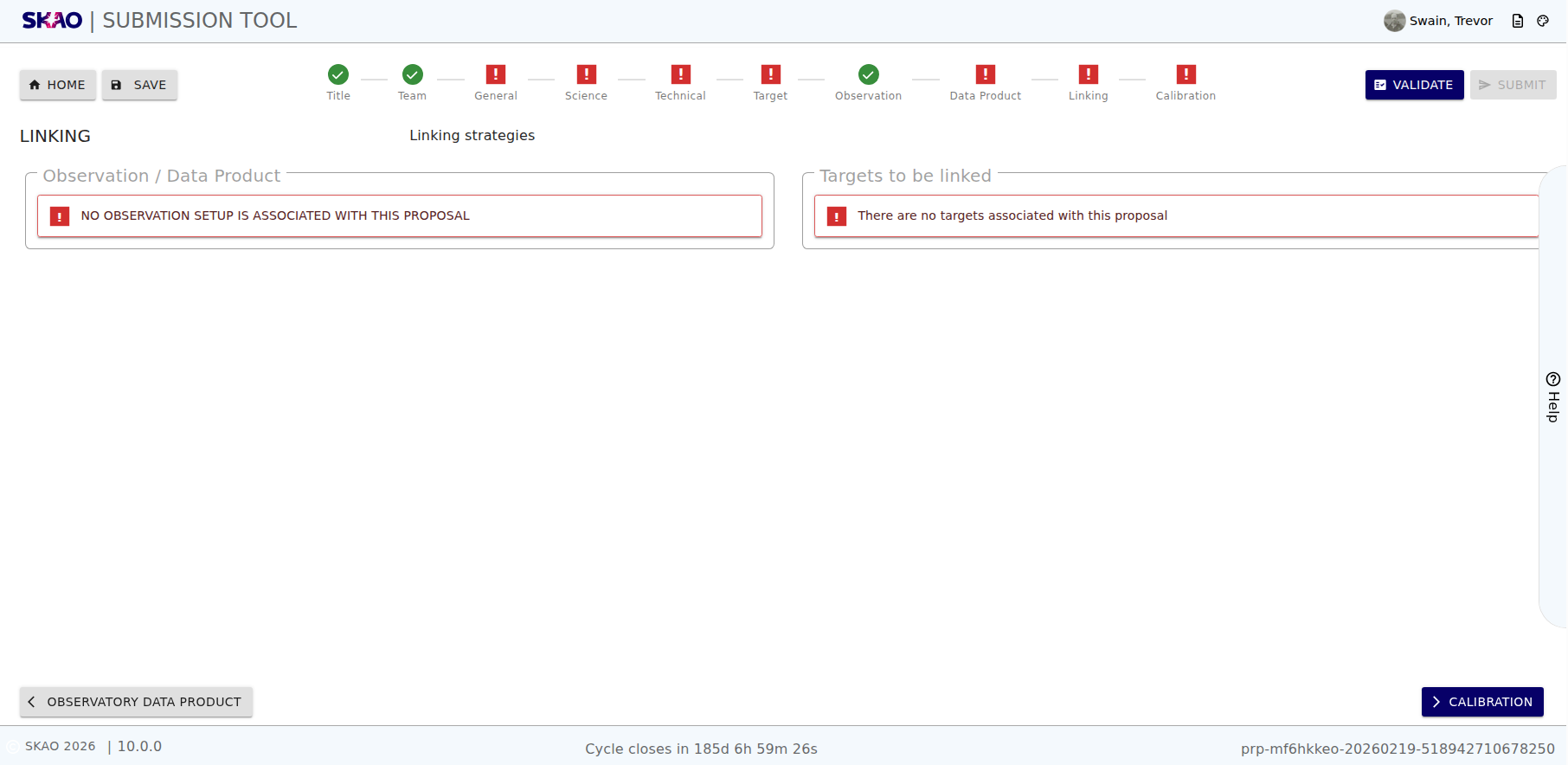
Figure 51 : Empty Linking Page.
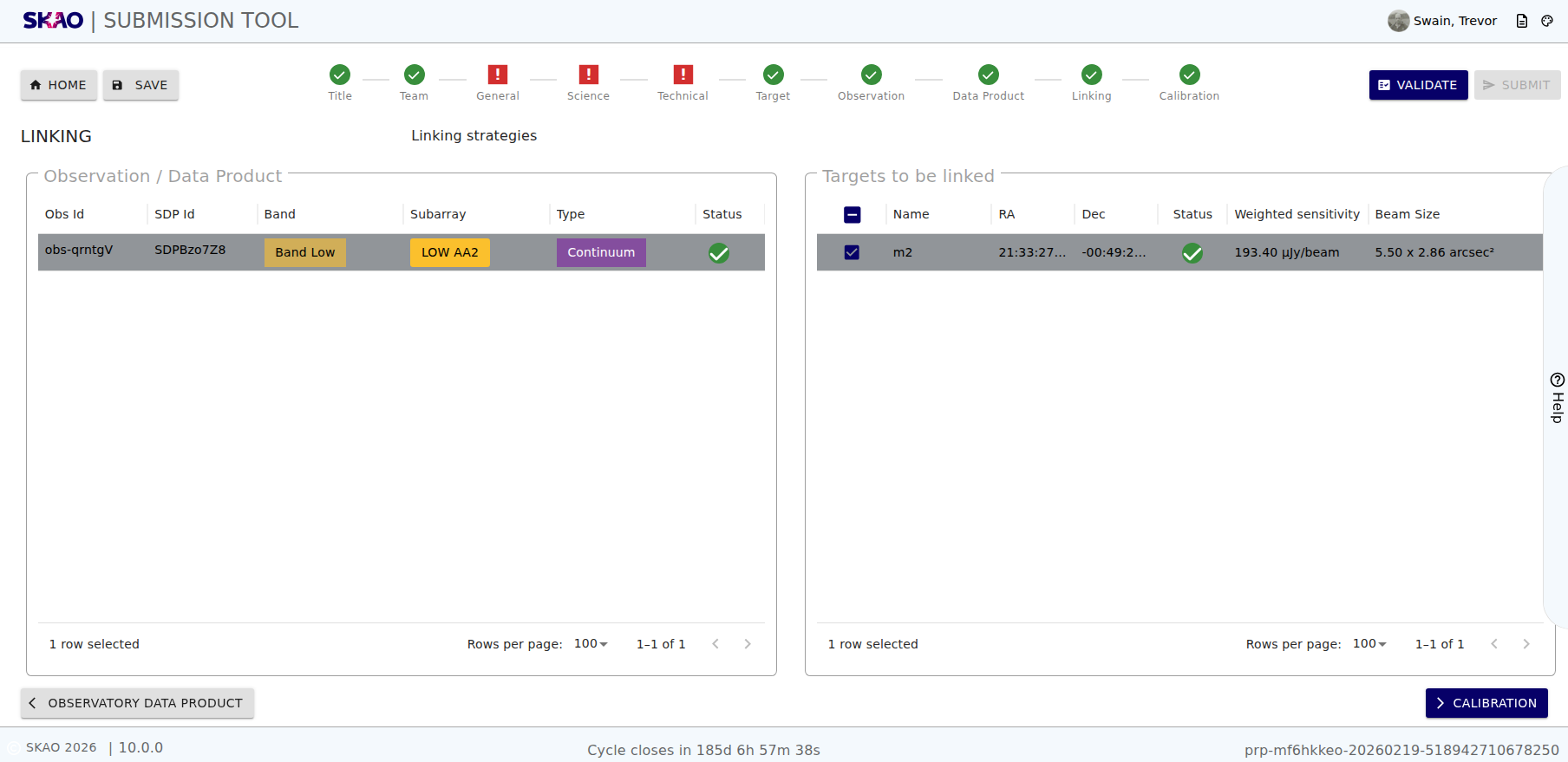
Figure 52 : Linking Page with data.
Key Information and Actions
View data products associated with an observation set.
View targets that have been added to the submission.
Ability to link an Observation with its associated Data Product to a target.
Ability to see the calculated results of the sensitivity calculator for a target linked to an observation and data product association.
Layout and Navigation
The are two parts to the linking page:
Observation / Data Product List
A list of observations and associated data products added to the submission is displayed on the left hand side of the page. This list displays the following:
Obs ID: Unique identifier for the Observation set.
“SDP Id”: Unique identifier for the data product association to an observation set.
Observing Band: Observing band of the selected observation set.
Subarray Configuration: Subarray configuration of the observation set.
Observation Type: Type of observation associated to the Data PProduct.
Status: Status of all the Sensitivity Calculation result related to the Observation and associated Data Product.
Target List
A list of targets added to the submission is displayed on the right hand side of the page. This list displays the following:
Target Name: Name of the target.
RA: Right Ascension of the target in ICRS.
Dec: Declination of the target in ICRS.
Status: Status of a single the Sensitivity Calculation result related to the Observation and associated Data Product, linked to the target.
Sensitivity Calculator Result: Displays the result of the sensitivity calculator for a target linked to an observation and data product association. If no target is linked to an observation and data product association, this field will be empty.
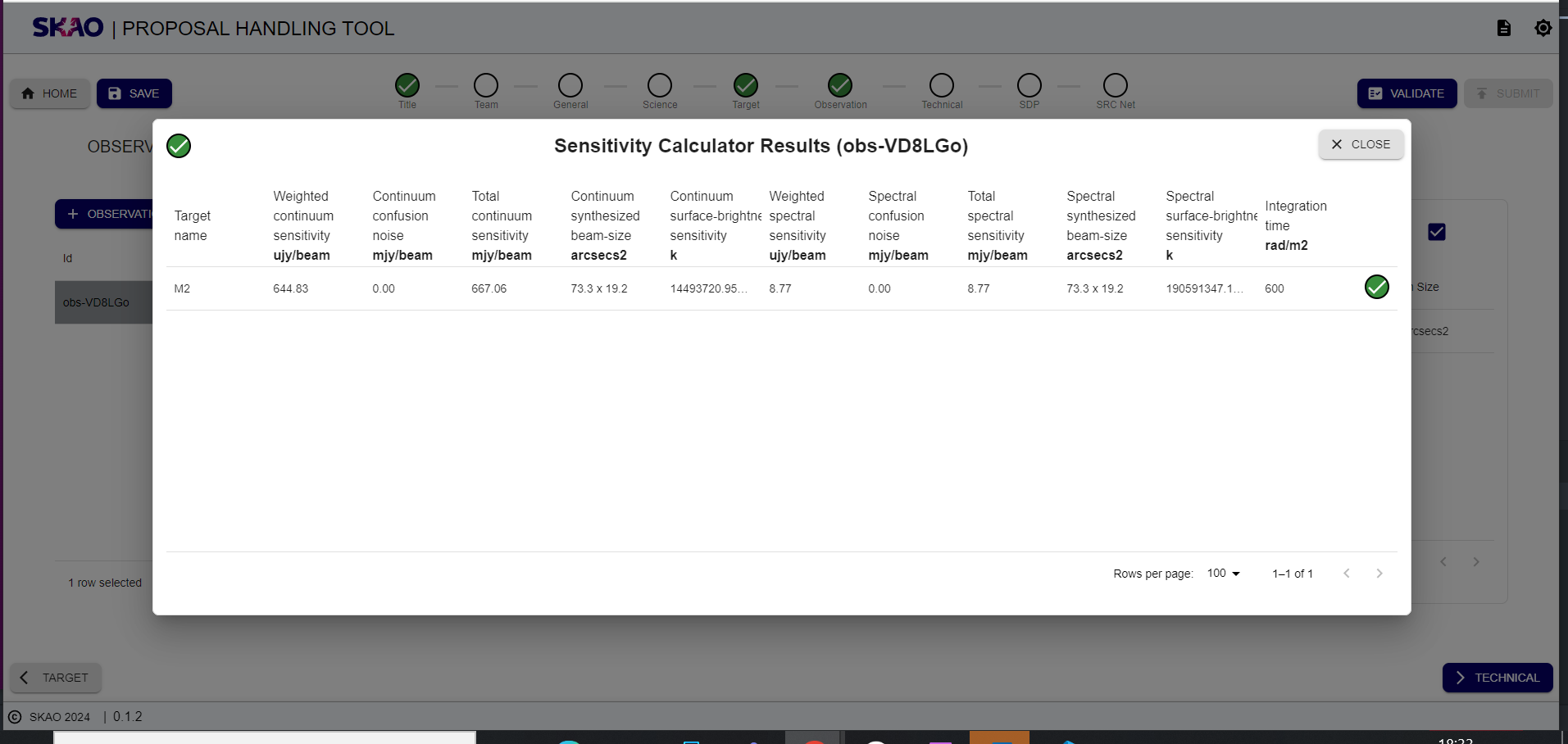
Figure 53 : Sensitivity calculator observation level result modal display.
Have questions or need technical assistance? Contact SKAO Help desk ·