Observatory Data Product Page
Data Products are associated to an Observation which have a valid association to a target. Here, you can request a single or multiple observatory data products for an observation set added to your submission. The  button is not active until an observation exists.
Figure 44 shows the layout of the observatory data product page when no data product has been added to Observation(s).
button is not active until an observation exists.
Figure 44 shows the layout of the observatory data product page when no data product has been added to Observation(s).
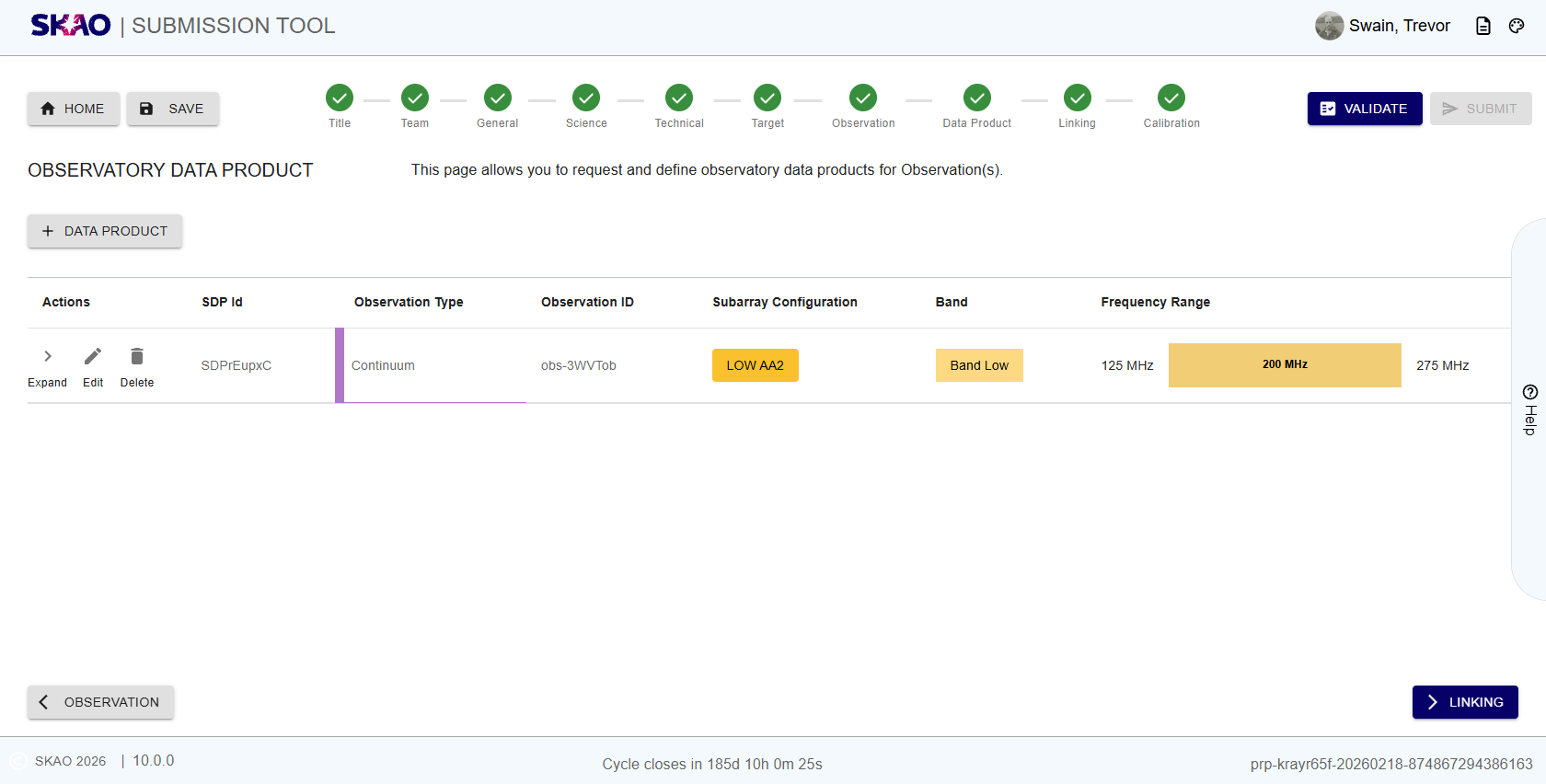
Figure 44 : Observatory Data Product page.
Key Information and Actions
View data products added to an observation set.
Add new data products.
Delete data products.
If no observation is added to your submission yet, the
button will be deactivated.
Layout and Navigation
The are two parts to the observatory data product page:
Landing page
To add observatory data product to an observation, click the
button. Once a data product
has been associated to an Observation, the observatory data product landing page will
display a table as shown in Figure %s. This table displays the following:- “Actions” :
Expand : Expand to view details of the data product added to the observation set
*Edit” : Edit the data product parameters. This takes you to the data product management page (see next section).
Delete : Delete the data product association to an observation set.
-“SDP Id”: Unique identifier for the data product association to an observation set. - Observation Type: Type of observation associated to the Data PProduct. - Observatory ID: Unique identifier for the Observation set. - Subarray Configuration: Subarray configuration of the observation set. - Observing Band: Observing band of the selected observation set. - Frequency Range: Frequency range of the selected observation set.
Data Product Management
Clicking on the
button takes the user to a page where parameters of the
different data product(s) can be specified as shown below:
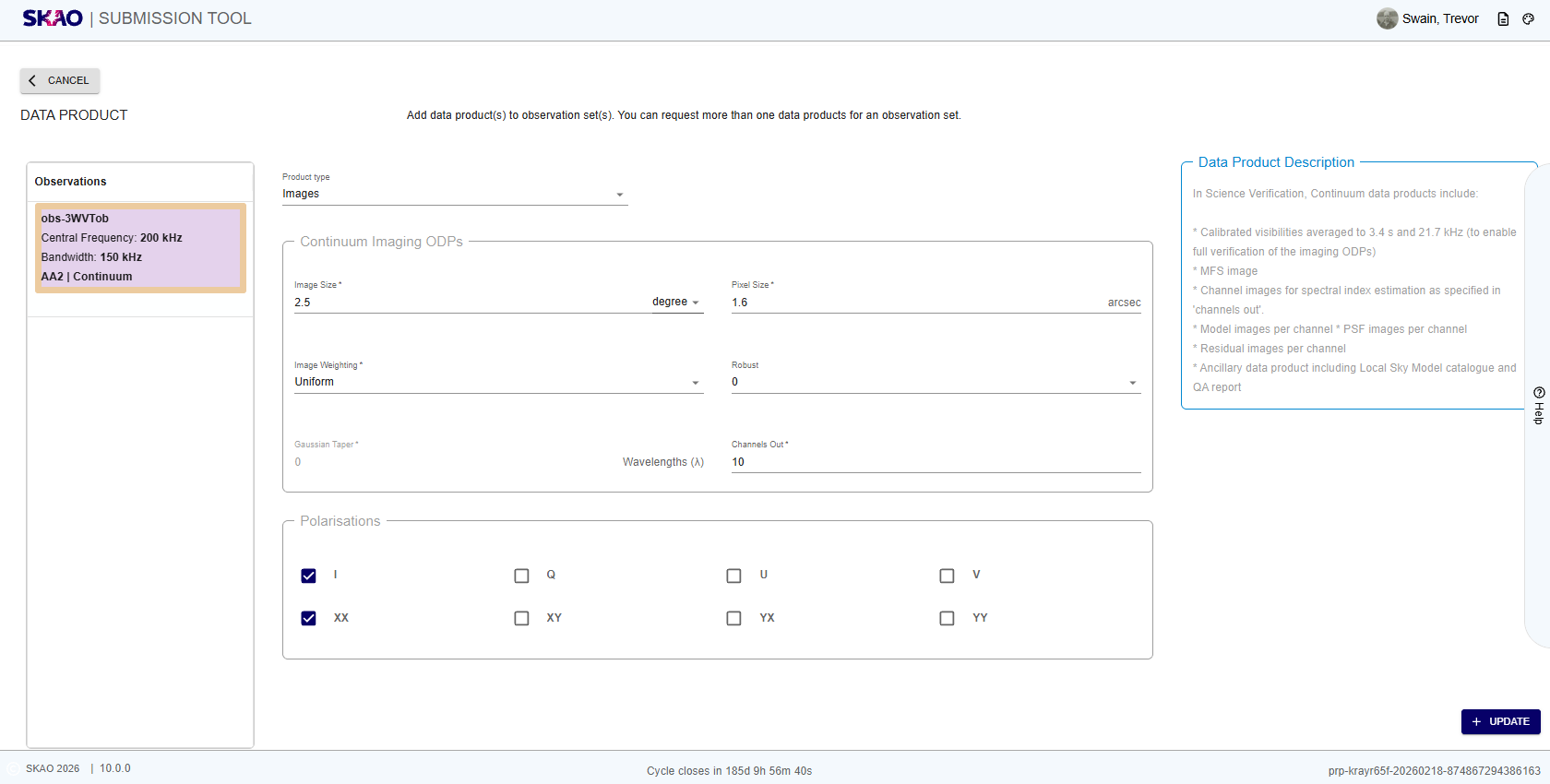
Figure 45 : Data Product Continuum Images page
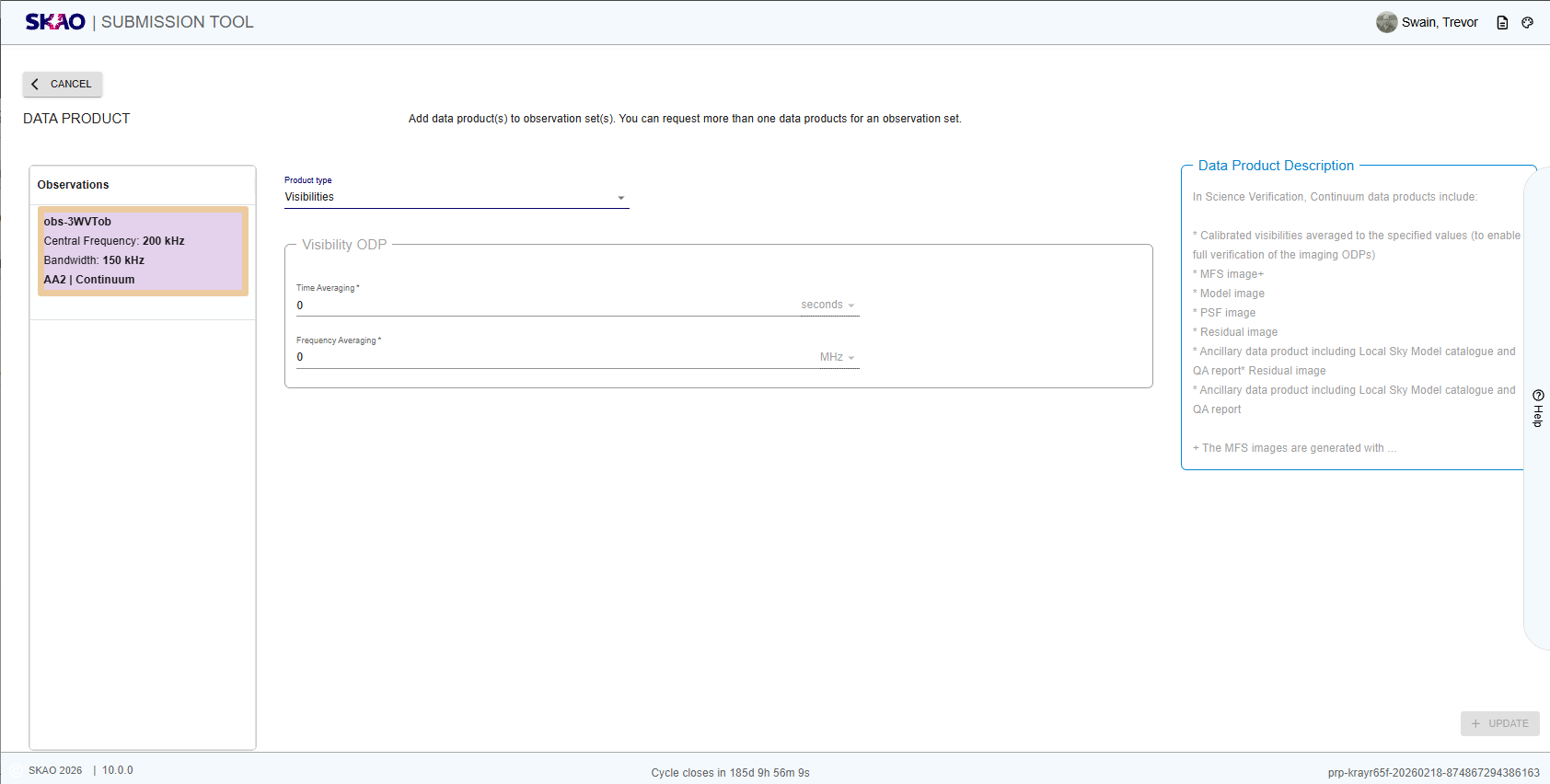
Figure 46 : Data Product Continuum Visibilities page

Figure 47 : Data Product Spectral page
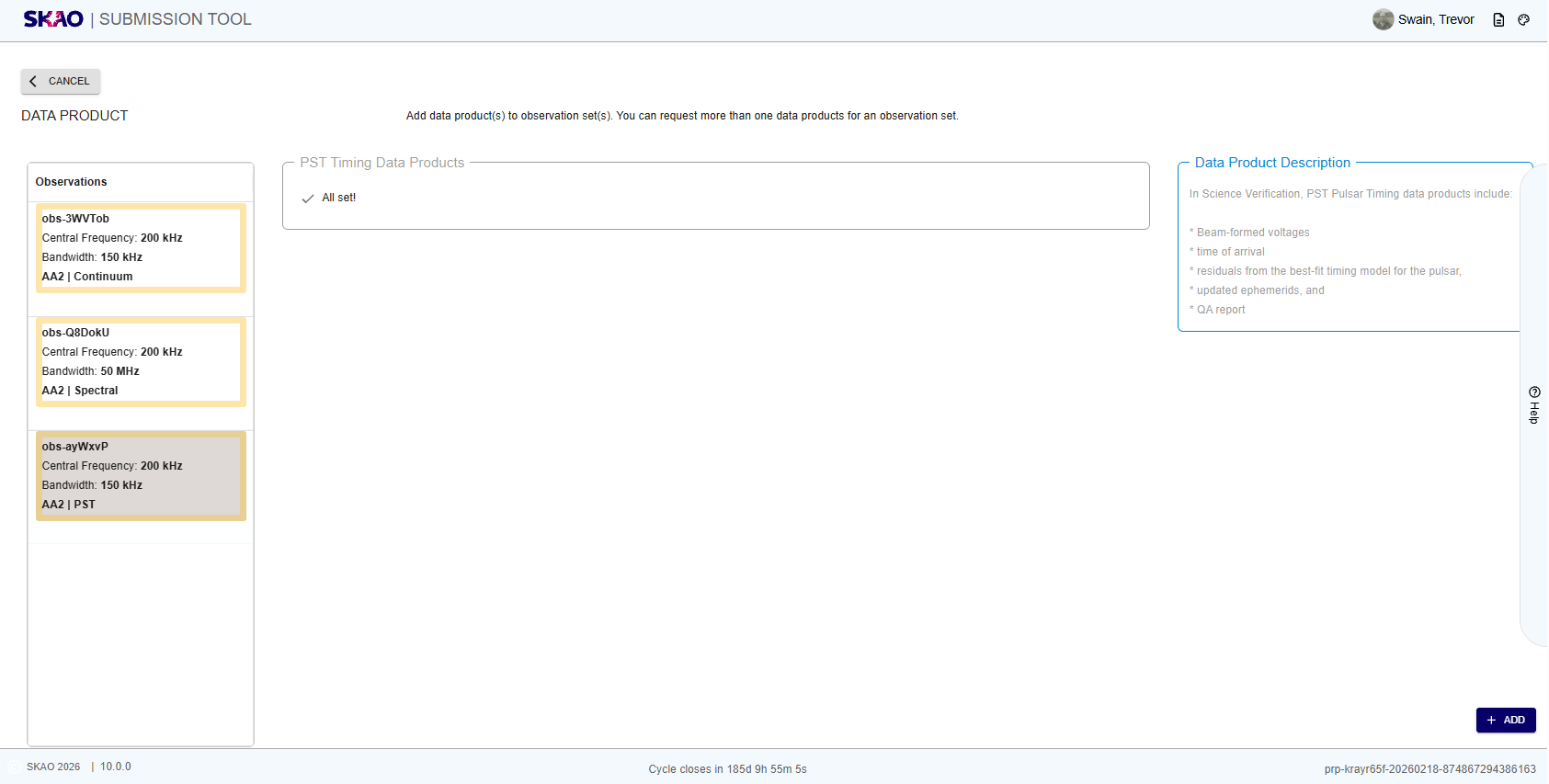
Figure 48 : Data Product PST Pulsar Timing page
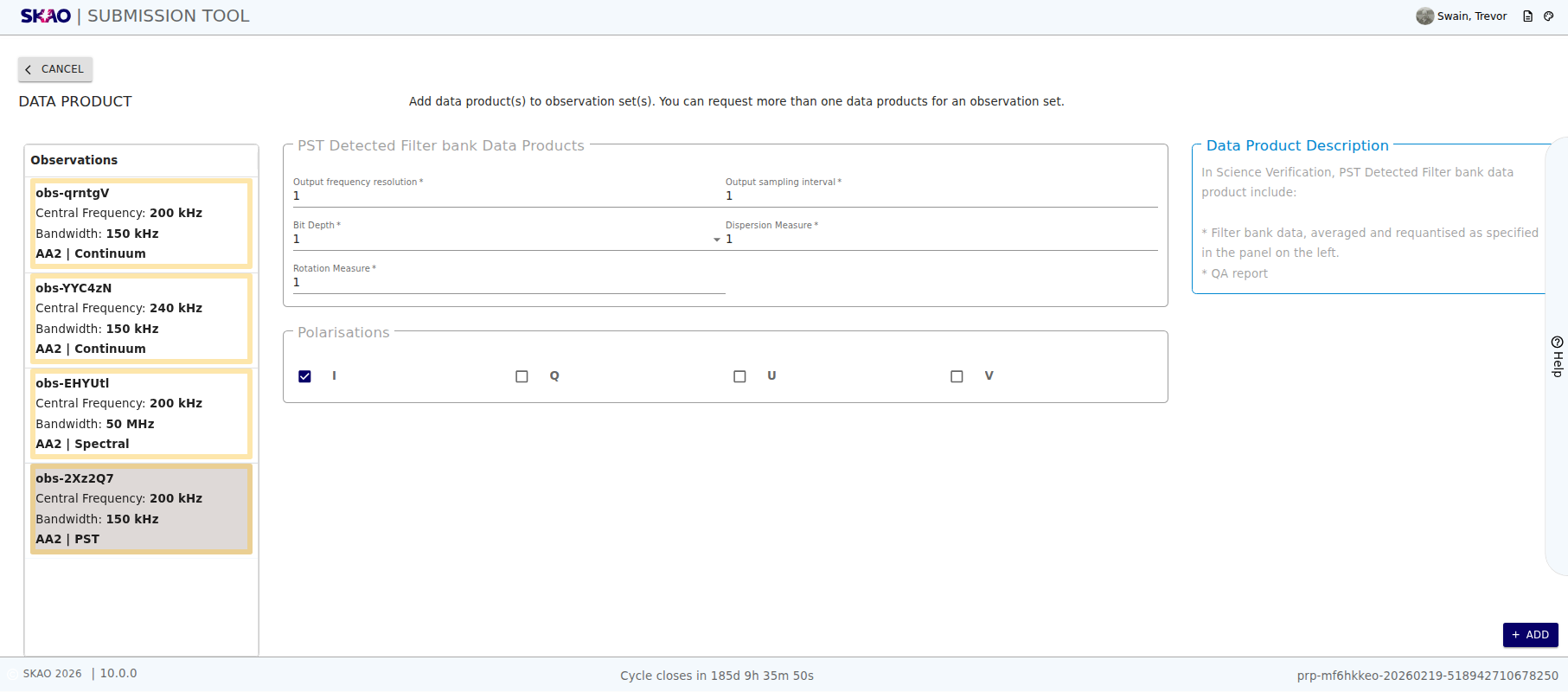
Figure 49 : Data Product PST Detected Filter Bank page
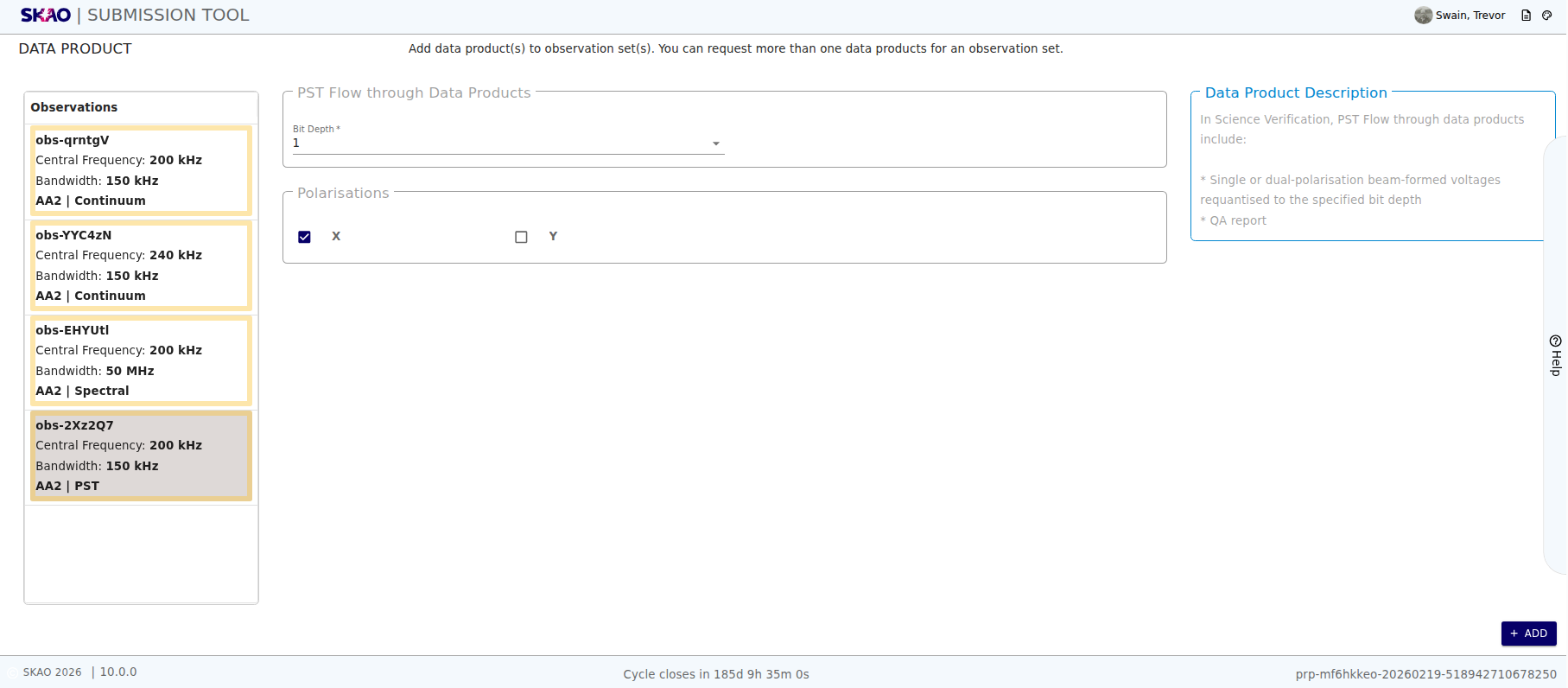
Figure 50 : Data Product PST Flow Through page
Have questions or need technical assistance? Contact SKAO Help desk ·