Target Page
The Target Page allows you to add a single target to your submission (see Figure 11).
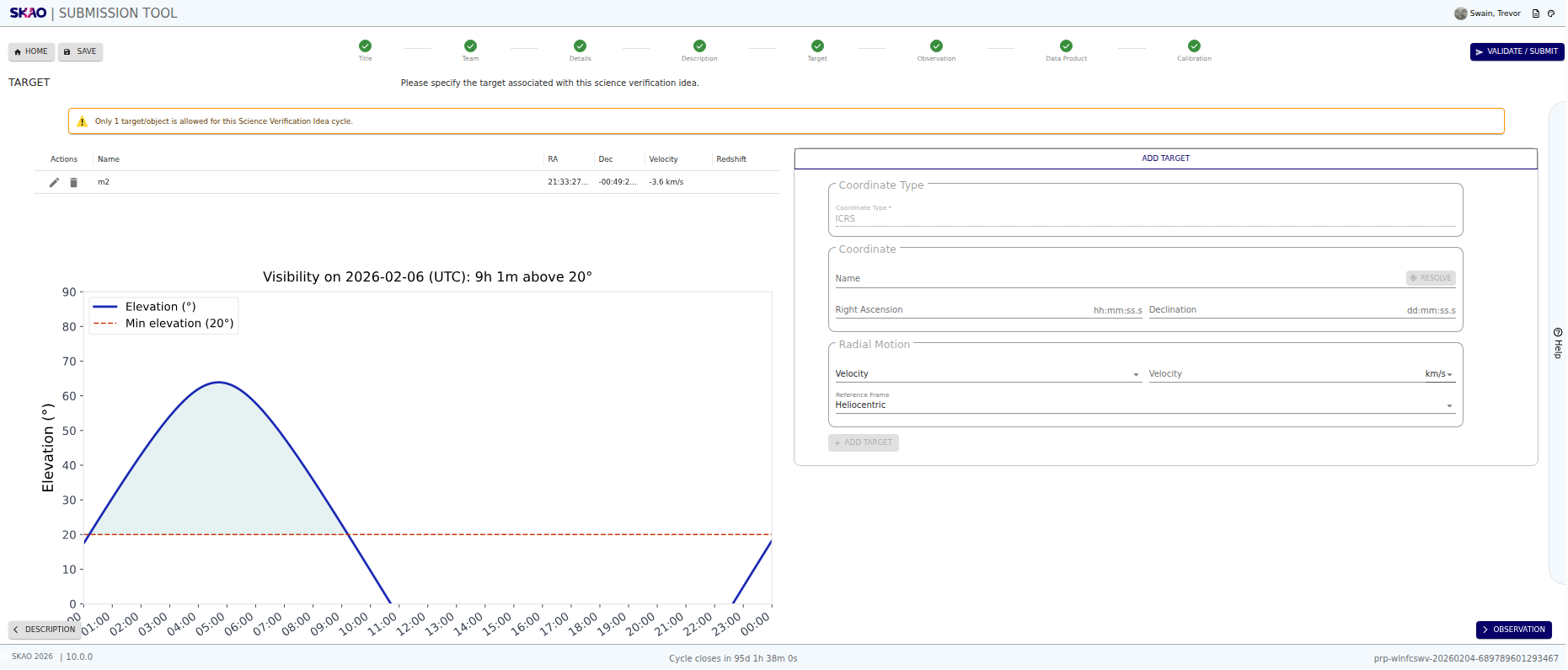
Figure 11 : Target page
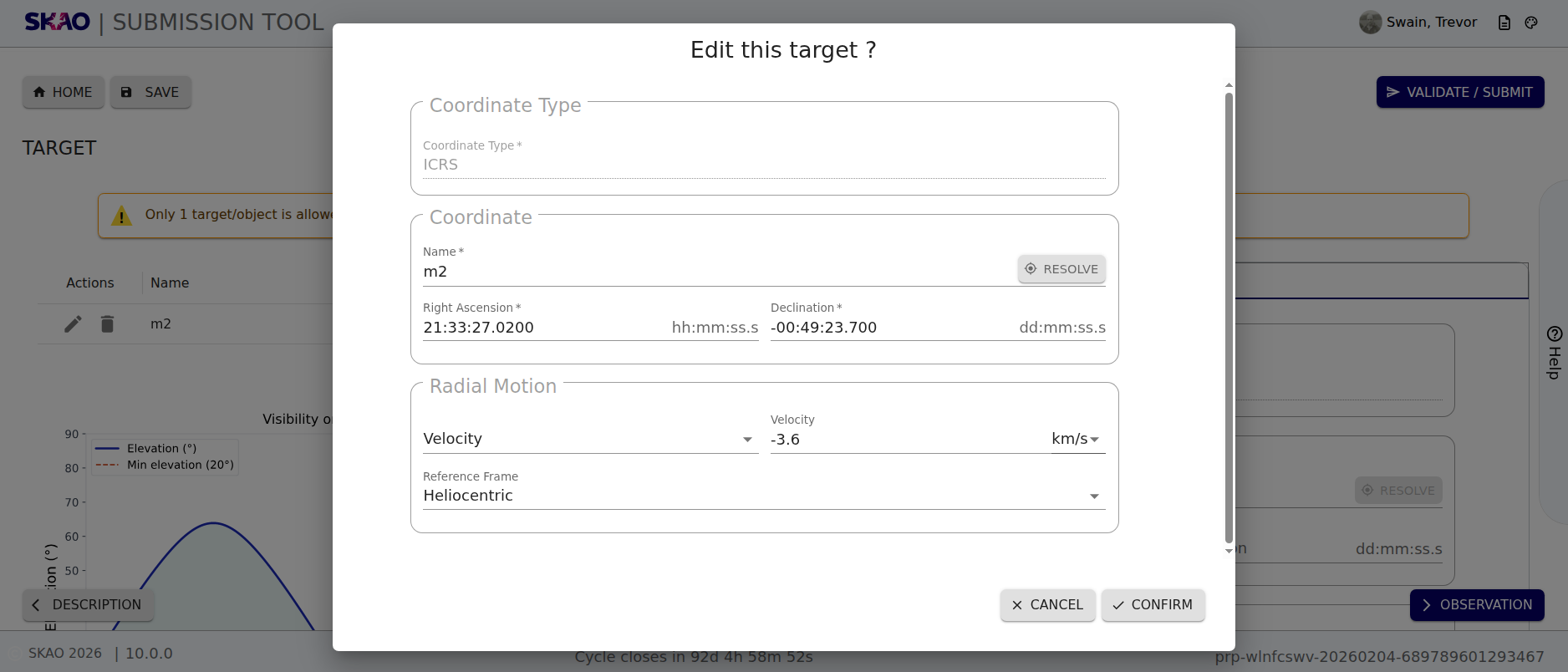
Figure 12 : Target page showing modal to edit target
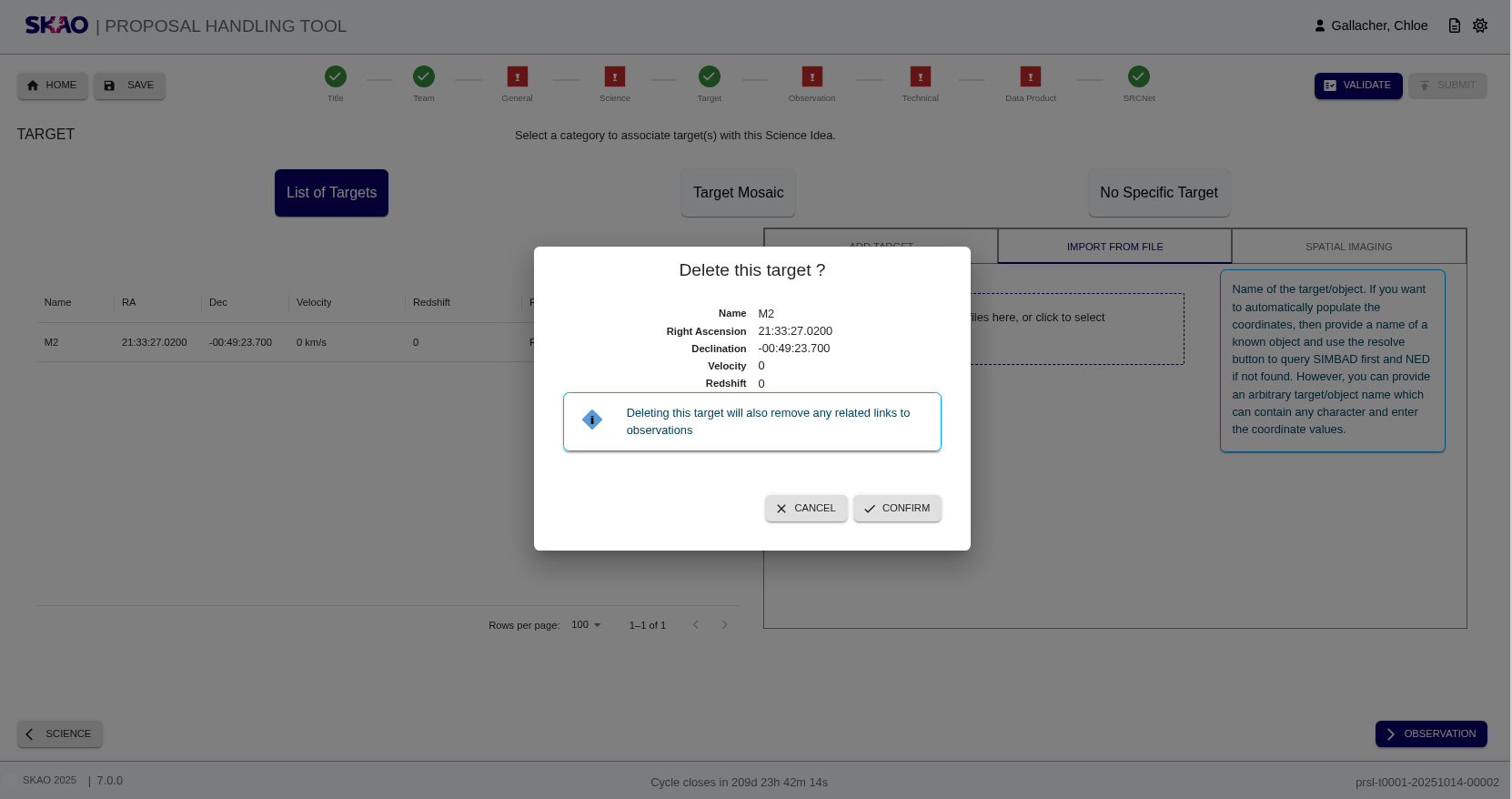
Figure 13 : Target page showing modal to delete target
Layout and Navigation
The layout of the Target Page shows for the entry of a single target to the submission (top of page) The default reference system is the ICRS (the only system available at the moment).
Left side shows a table with the columns below:
Right side:
Add individual target by providing details of the target such as the name and coordinates (see Figure 11). The velocity/redshift field is optional to specify the velocity (km/s or m/s) or redshift. For known targets, these parameters can be auto-populated by querying the SIMBAD or NED database using the
 button with the name e.g
 M2. If the target name is not recognised, the error textUnable to resolve provided nameis displayed.


Key Information and Actions
Add target: Use the entry form on the right of the page, under the tab ‘’Add Target’’.
Edit target: When selected, a modal is displayed with a form containing details of the selected target (see Figure 12). These fields can be adjusted and will update the target upon confirmation.
Delete targets: When selected, a modal is displayed showing details of the selected target (see Figure 13). There is the option to confirm or cancel. If confirmation is selected, then the target is removed, as well as any links to observations.
Resolve Targets: Resolve targets by name using the
button which allows you to query SIMBAD or NED.
This is available as part of the functionality of ‘’Add Target’’
Have questions or need technical assistance? Contact SKAO Help desk ·