Panel Management
This page is accessible only by the Admin of the Proposal Handling Tool (PHT).
Layout and Navigation
The layout of the page is presented in Figure 57.
 in the top-left of the page takes you to the Overview Page.
 performs auto-assignment of proposals to the panel.
There are search fields that allows you to filter on Expertize of the reviewers, Location of the reviewers and the Name of the reviewers on the REVIEWERS tab. On the PROPOSALS/SCIENCE IDEAS tab, the search fields are on the type of proposal/science ideas, Science Category and free search on the title of the proposals/science ideas.
The default view is the REVIEWERS to see all available reviewers and the PROPOSAL/SCIENCE IDEAS tab displays all the proposals that are reviewable (submitted and under review).
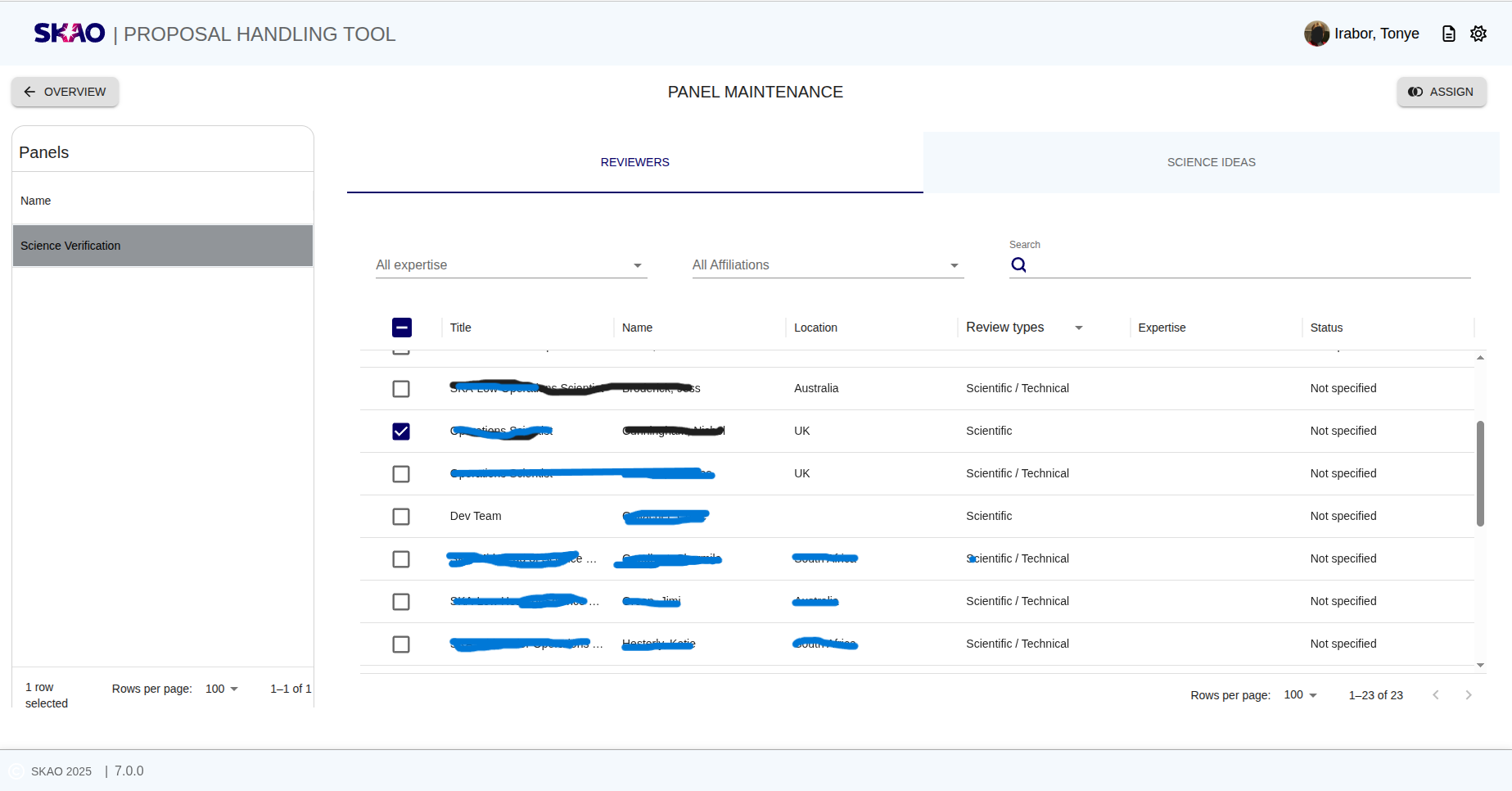
Figure 57 : Panel Management default display.
Key Information and Actions
This section describes the key functionality available on the Panel Management page.
Panel Creation
Panel creation is automatic. Currently, only one panel named Science Verification is created by default.
It appears on the left-hand side of the page, as shown in Figure 57.
Note
Additional panels may be introduced in future cycles. For now, all proposals are associated with the default Science Verification panel.
Assignment of Proposals
Click the icon at the top-right corner of the page to automatically assign proposals to the active panel.
The Admin can also manually re-assign or remove a proposal from a panel by toggling the check box next to each item.
To view all reviewable proposals, select the PROPOSALS / SCIENCE IDEAS tab
(see Figure 58).
Reviewable proposals or science ideas are those that have been submitted or are currently under review.
Assignment of Reviewers
When the Admin opens this page, the default view lists all available reviewers, both Science and Technical. By selecting or deselecting the check boxes, the Admin can add or remove reviewers from the active panel.
Note
Notification for reviewers will be implemented in the future.
Creation of Reviews and Decisions
Once reviewers are assigned to a panel, the corresponding Review and Decision records for the proposals in that panel are created automatically. These records enable reviewers to submit scores and comments, and allow chairs to make final recommendations.
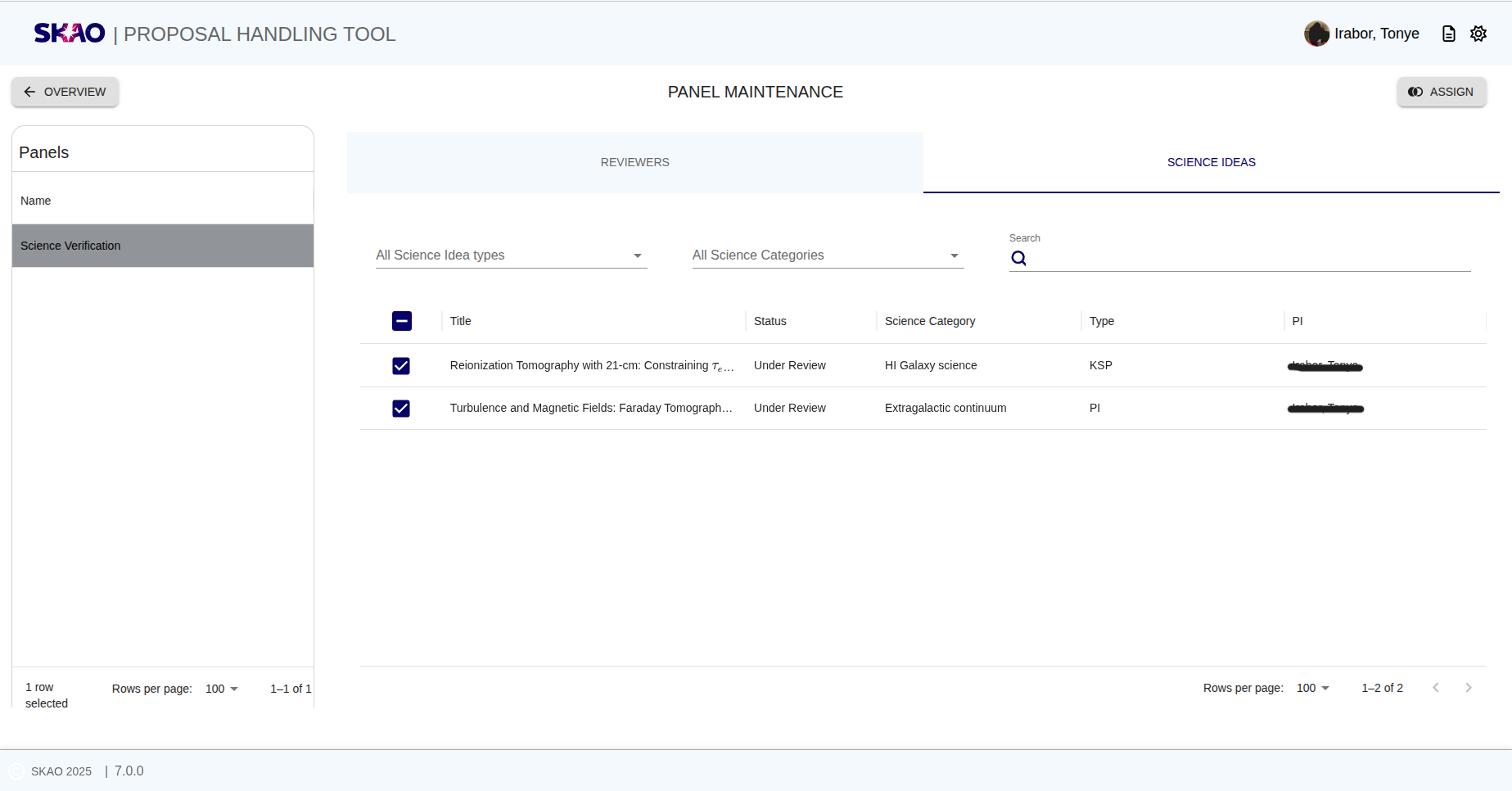
Figure 58 : Panel Management Proposals display.
Panel decision is made based on outcome from independent technical and science review.
Note
Reviewers list is a live system that pulls all available reviewers with their review roles.
Have questions or need technical assistance? Contact SKAO Help desk ·