Review Decision
The panel decison page can be viewed by both Admin and the review Chair. However, as an Admin, you cannot make any updates on this page and it is only for view purposes.
The panel decison page view presents a collapsible card for each proposal as shown in Figure 63. Each card displays summary information about the proposal, reviews and decision as shown in same figure.
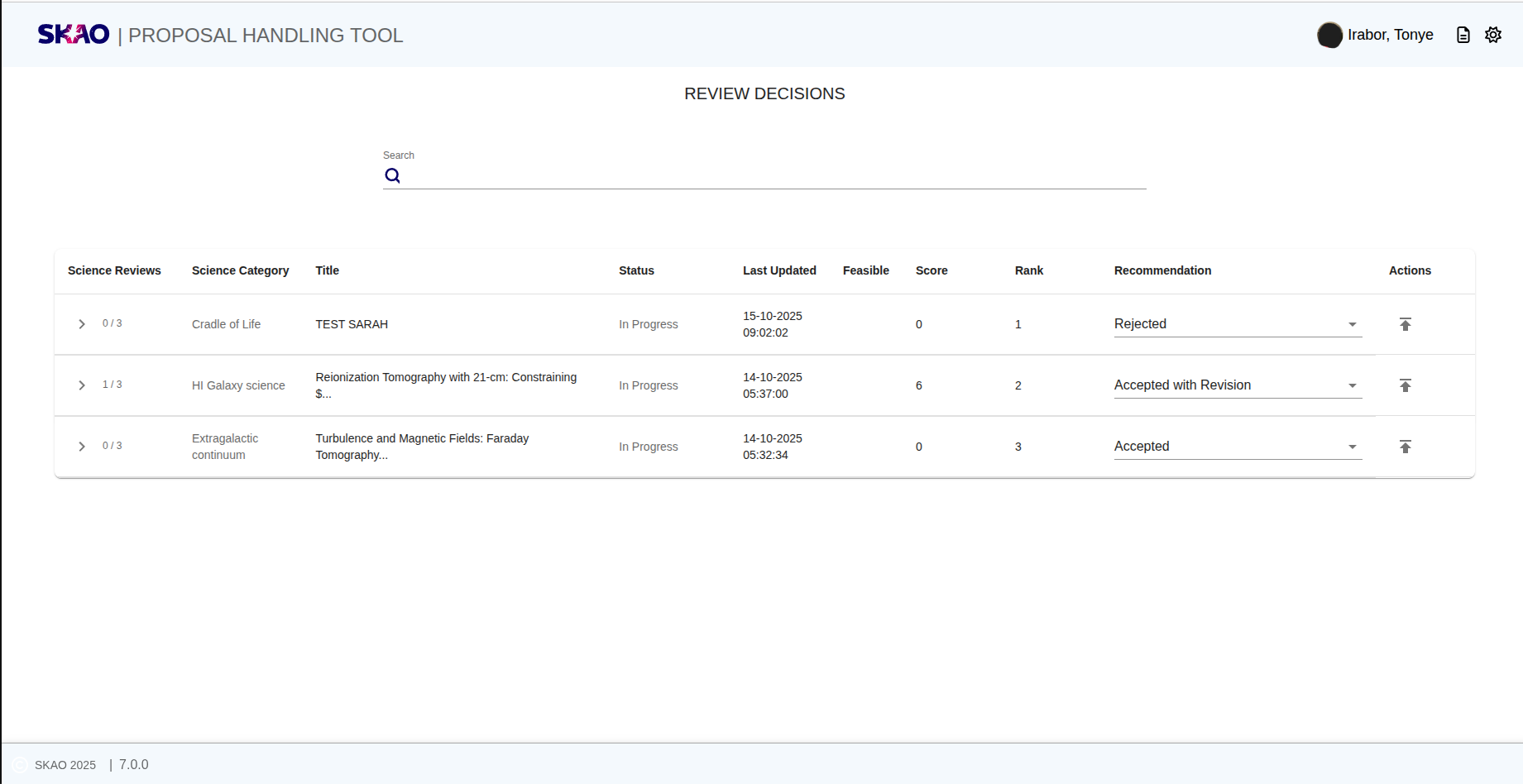
Figure 63 : Landing page of the panel decision at proposal level.
Key Information and Actions
This section outlines the main features and interactions available on the Panel Decision page.
Search Proposals
Use the search bar at the top of the page to quickly find proposals by their Title.
Tip
Partial or case-insensitive matches are supported, making it easy to locate proposals even if you remember only part of the title.
View Review and Decision Details
Click the card for each proposal to expand and view its corresponding reviews and decision details, as illustrated in Figure 64.
Exclude a Review
Click the  icon on any review to exclude it from the proposal’s overall score.
When a review is excluded, the system will automatically:
icon on any review to exclude it from the proposal’s overall score.
When a review is excluded, the system will automatically:
Recalculate the average score based on remaining active reviews.
Update the rank accordingly.
Understanding Scores and Ranks
Score: The average of all individual review scores (excluding any marked as excluded).
Rank: Determined by average score such that higher scores yield higher ranks. For example, if one proposal has a score of 5.0 and another 4.5, the 5.0 will be ranked 1, and 4.5 will be ranked 2.
Submit a Recommendation
From the Recommendation drop-down list, select one of the following options: - Accept - Reject - Accept with Revision
Finalize the Decision
Once a recommendation has been selected:
1. Click the  icon next to the drop-down to submit the decision.
2. The proposal’s status will automatically update to Decided.
3. After submission, no further updates can be made to the proposal review.
icon next to the drop-down to submit the decision.
2. The proposal’s status will automatically update to Decided.
3. After submission, no further updates can be made to the proposal review.
Warning
Submitting a recommendation is final. Ensure your decision is correct
before clicking the icon.
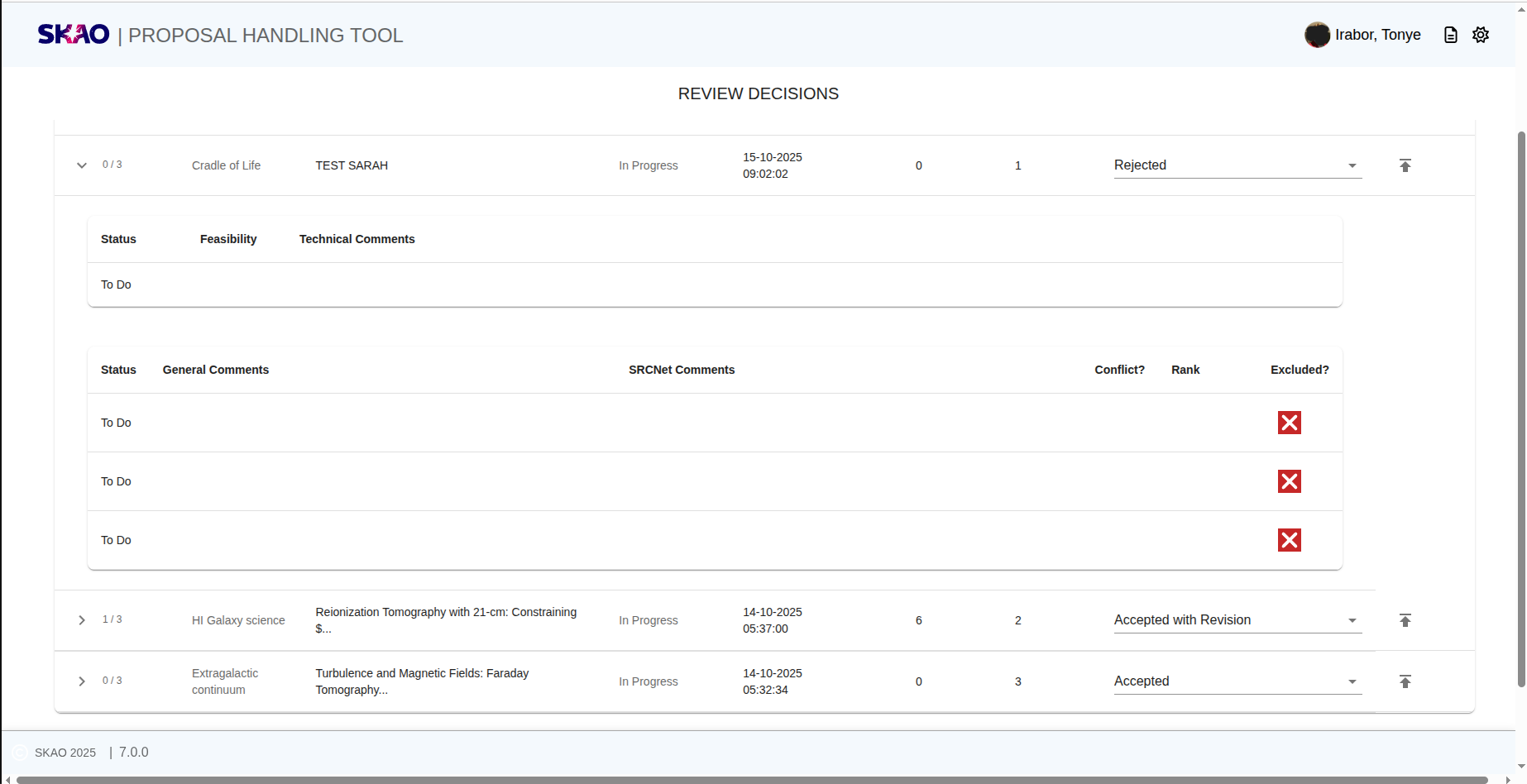
Figure 64 : A view of the reviews and decison panel for each proposal.
Have questions or need technical assistance? Contact SKAO Help desk ·