Engineering Data Archive
This page describes how to enable the Engineering Data Archive and use the PST attribute configuration for archiving.
Deployment
The Engineering Data Archiver solution consists of the following charts:
Manual installation
Official chart installation instructions are located at the ska-tango-archiver repository.
ska-pst test-parent
The make target eda-install-stack in the ska-pst repository installs and configures EDA components ready to be integrated with the components in the ska-pst test-parent chart. The following chart values files has been prepared to allow integration test between PST and the EDA solution.
values-timescaledb.yaml - used for the ska-tango-archiver-timescaledb chart
values-archiver.yaml - used for the ska-tango-archiver chart
eda.test-parent.yaml - used for PST’s test-parent chart.
The eda-install-stack make target performs the following tasks.
Installs the PST
test-parentchart.Installs the
ska-tango-archiver-timescaledbfrom thetest-parentchart dependencies using a ska-tango-archiver-timescaledb values.yaml.Configures the
ska-tango-archiver-timescaledbusing a preconfigured psql schema.Installs the
ska-tango-archiverfrom thetest-parentchart dependencies using a ska-tango-archiver values.yaml.
The following command installs and configures components necessary for the PST and EDA integration tests.
# Fully automated installation and configuration
make eda-install-stack K8S_CHART_VALUES=tests/integration/k8srunner-psi-low/eda.test-parent.yaml
Due to intermittent deployment errors, it maybe necessary to execute targets in a repetitive manner.
# install PST test parent chart with global values modified for EDA integration
make k8s-install-chart K8S_CHART_VALUES=tests/integration/k8srunner-psi-low/eda.test-parent.yaml

# install timescaledb
make eda-timescaledb-install

## NOTE:
## In the scenario caused by a race condition, the timescaledb may need to be reinstalled.
## Below is a sample log from `kubectl logs pod/timescaledb-0`
##
### 2024-11-06 06:21:33,583 INFO: Lock owner: ; I am timescaledb-0
### 2024-11-06 06:21:33,583 INFO: waiting for leader to bootstrap
### 2024-11-06 06:21:43,583 INFO: Lock owner: ; I am timescaledb-0
### 2024-11-06 06:21:43,583 INFO: waiting for leader to bootstrap
### 2024-11-06 06:21:53,583 INFO: Lock owner: ; I am timescaledb-0
### 2024-11-06 06:21:53,583 INFO: waiting for leader to bootstrap
### 2024-11-06 06:22:03,583 INFO: Lock owner: ; I am timescaledb-0
##
## to reinstall, execute `make eda-timescaledb-uninstall eda-timescaledb-install`

# configure timescaledb
make eda-timescaledb-configure

# install ska-archiver
make eda-archiver-install
Accessing the dashboards
The dashboards of interests are the configurator and the archwizard. The configurator is by default, accessed through ingress while the archwizard can be accessed through an exposed port through kubernetes via the loadbalancer service.
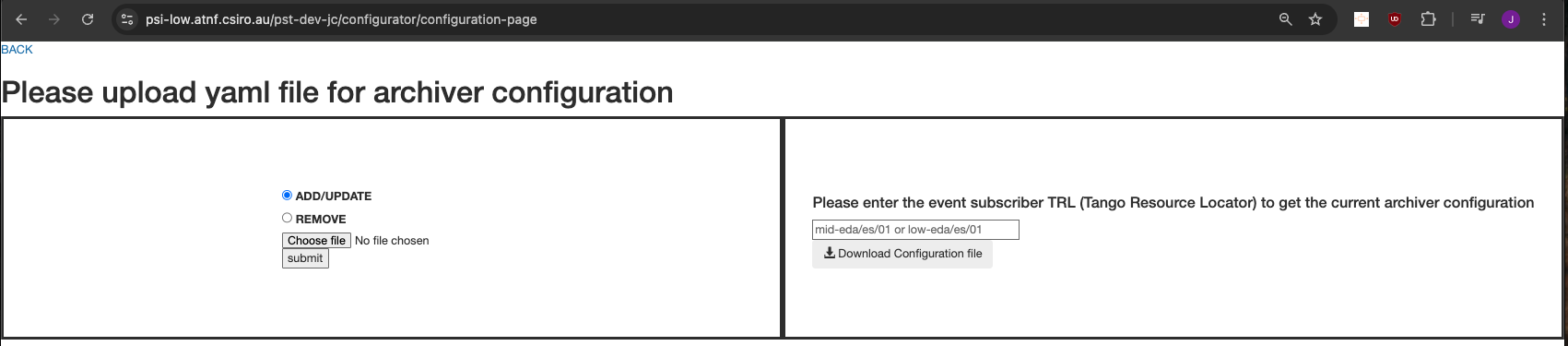
In psi low, the configurator can be accessed through https://psi-low.atnf.csiro.au/$KUBE_NAMESPACE/configurator/configuration-page where $KUBE_NAMESPACE is replaced by the kubernetes namespace used to install the ska-archiver chart.
To access the archwizard, the following commands are used to gather information required as an input to a chosen browser.
# Grab any node INTERNAL-IP address
kubectl get nodes -o wide

# procure details of the archwizard service
kubectl get svc | grep archwizard

# sample output is as follows
## archwizard                                        LoadBalancer   10.105.112.55    <pending>     8000:30055/TCP
##
## In a browser, the archwizard can be accessed through $INTERNAL-IP:30055
Load attribute configuration
Sample attribute configuration for archiving is as follows:
db: databaseds-tango-base:10000

# The below is tailored for SKA Low environment
manager: low-eda/cm/01
archiver: low-eda/es/01
# Configuration for mid environment is as follows.
## manager: mid-eda/cm/01
## archiver: mid-eda/es/01

configuration:
- class: PstBeam
  attributes:
    state:
      code_push_event: true
    buildstate:
      code_push_event: true
    commandedobsstate:
      code_push_event: true
    commandedstate:
      code_push_event: true
    healthstate:
      code_push_event: true
    obsstate:
      code_push_event: true
    status:
      code_push_event: true
    datareceiverate:
      code_push_event: true
    datarecordrate:
      code_push_event: true
    obsmode:
      code_push_event: true
    lastscanconfiguration:
      code_push_event: true
    datarecorded:
      code_push_event: true
    diskcapacity:
      code_push_event: true
    testmode:
      code_push_event: true
    sdplinkcapacity:
      code_push_event: true
    healthfailuremessage:
      code_push_event: true
    deviceid:
      code_push_event: true
    channelblockconfiguration:
      code_push_event: true
    configurationid:
      code_push_event: true
    adminmode:
      code_push_event: true
    configurationprogress:
      code_push_event: true
    scanid:
      code_push_event: true
    availablerecordingtime:
      code_push_event: true
    availablediskspace:
      code_push_event: true
    controlmode:
      code_push_event: true
    versionid:
      code_push_event: true
    logginglevel:
      code_push_event: true
    configurationdelayexpected:
      code_push_event: true
    datareceived:
      code_push_event: true
    diskusedpercentage:
      code_push_event: true
    simulationmode:
      code_push_event: true
    diskusedbytes:
      code_push_event: true
    expecteddatarecordrate:
      code_push_event: true
    sdpdestinationaddresses:
      code_push_event: true
The attribute config can be loaded to the configurator.
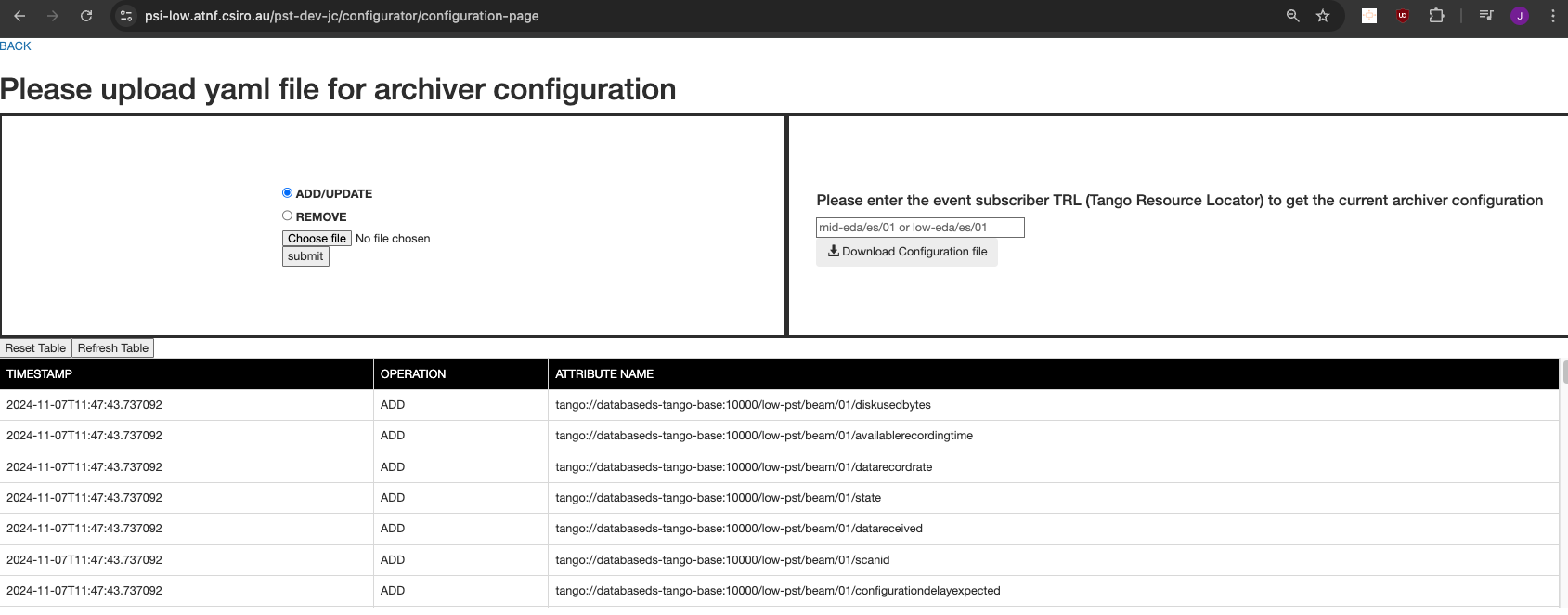
It may take a while for the configuration to be processed. By refreshing the page, a table containing the attributes would be present.
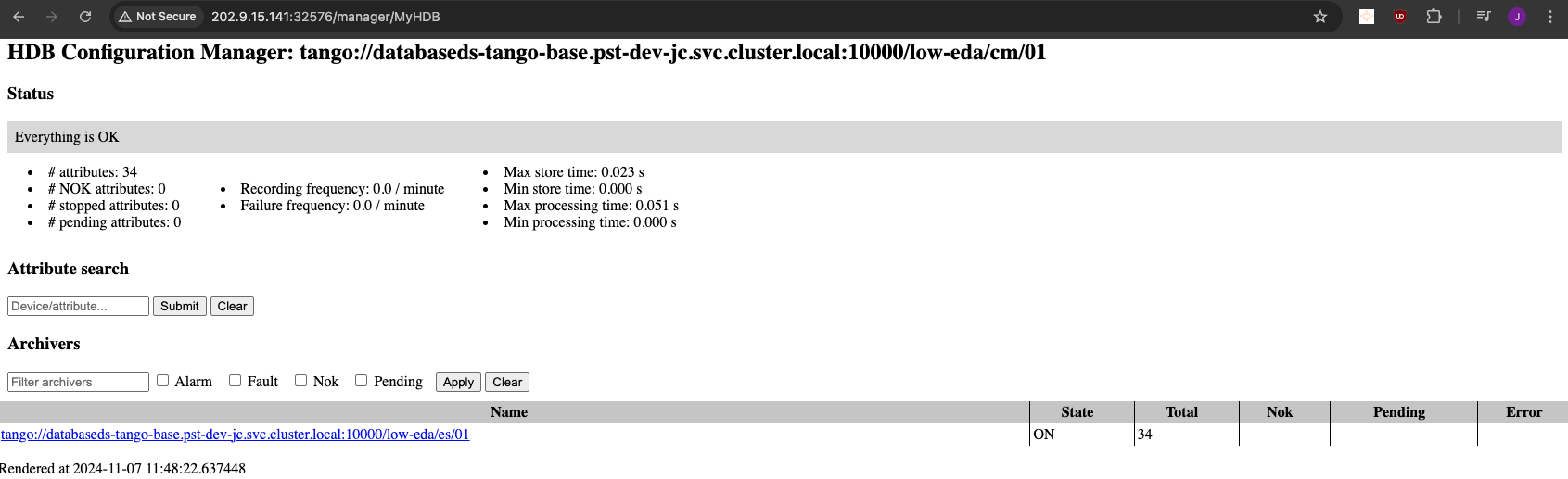
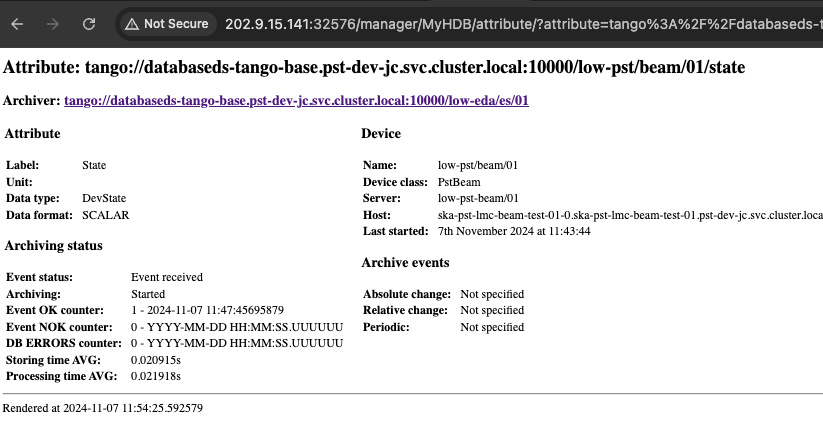
The archwizard can then be accessed to confirm and validate the details concerning the archived attributes.
The tango base can be accessed to confirm the attributes being archived.
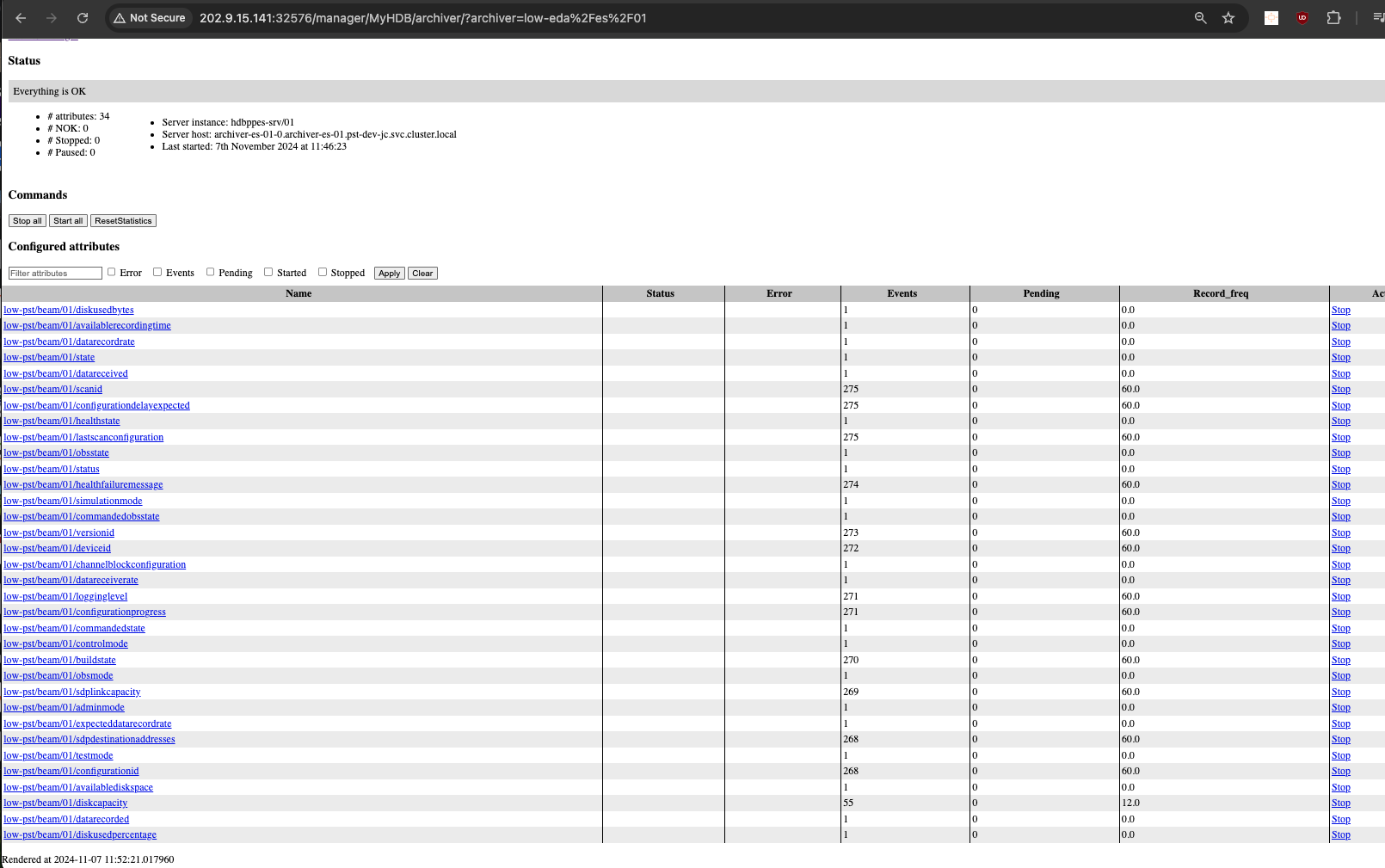
Any of the attributes can be selected for further details.
Cleanup
The environment can be cleaned up using the make target eda-uninstall-stack. The make target performs the following tasks.
Executes the make target
k8s-uninstall-chart. Uninstalls thetest-parentchart.Executes the make target
eda-timescaledb-uninstall. Uninstalls theska-tango-archiver-timescaledbchart and its persistent k8s resources.Executes the make target
eda-archiver-uninstall. Uninstalls theska-tango-archiverchart.