View Shift Page
View shift details
User can view details of any shift by clicking either on Shift ID or on  icon from Shift History page.
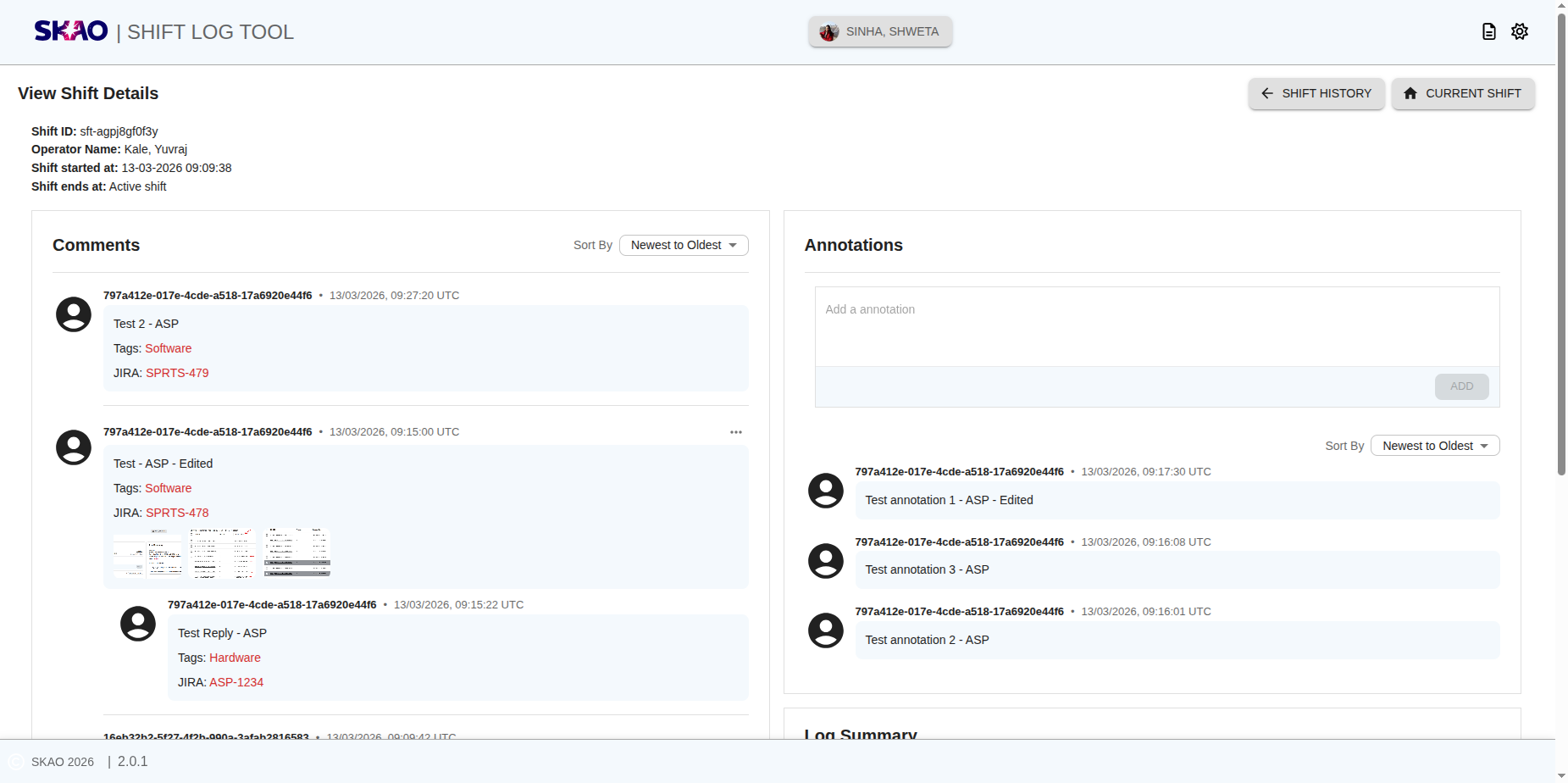
User will be able to view details of the shift as shown in below image.
icon from Shift History page.
User will be able to view details of the shift as shown in below image.
View images
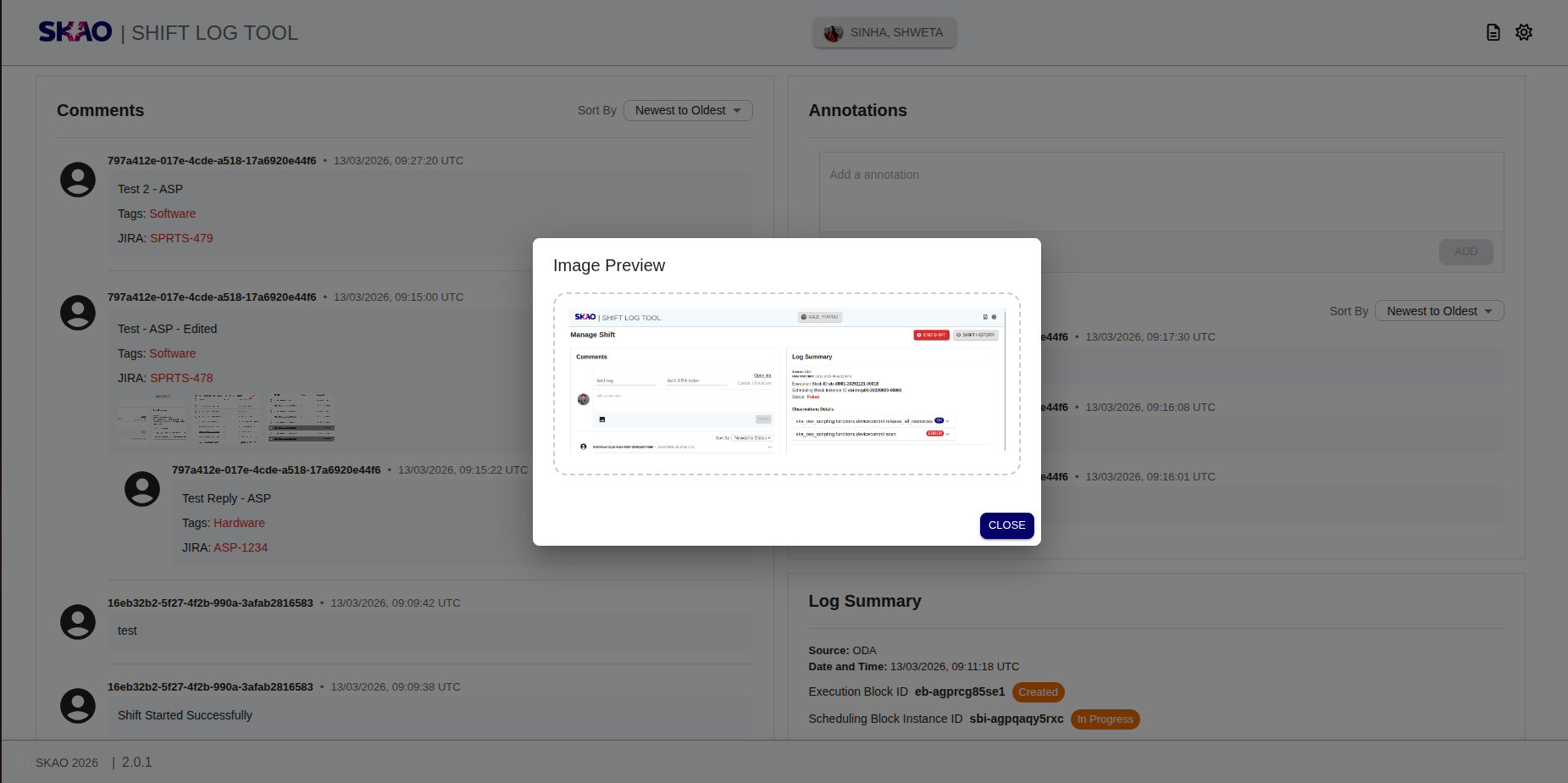
User can preview the image by clicking on image icon link to view the image as shown in below image.
Adding shift annotation
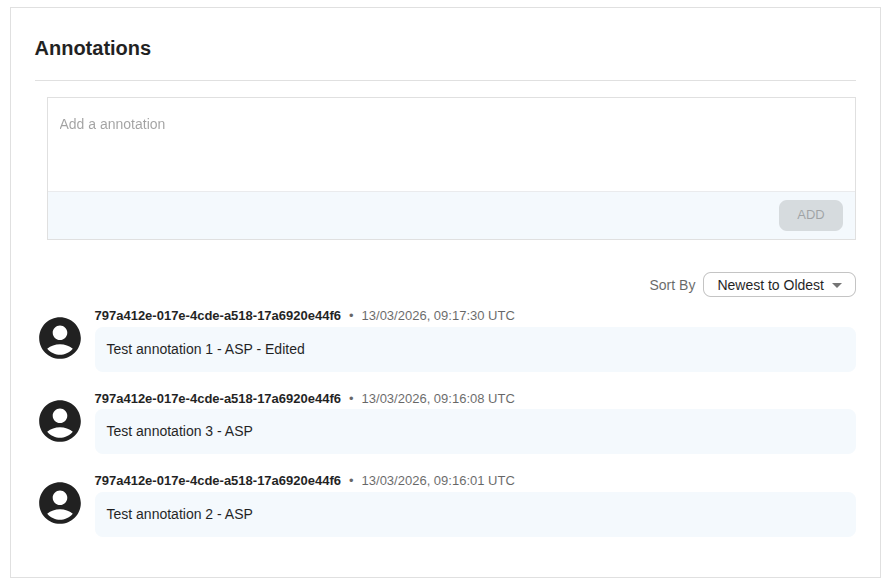
User can add shift annotation from annotations section as shown in below image:
Edit shift annotation
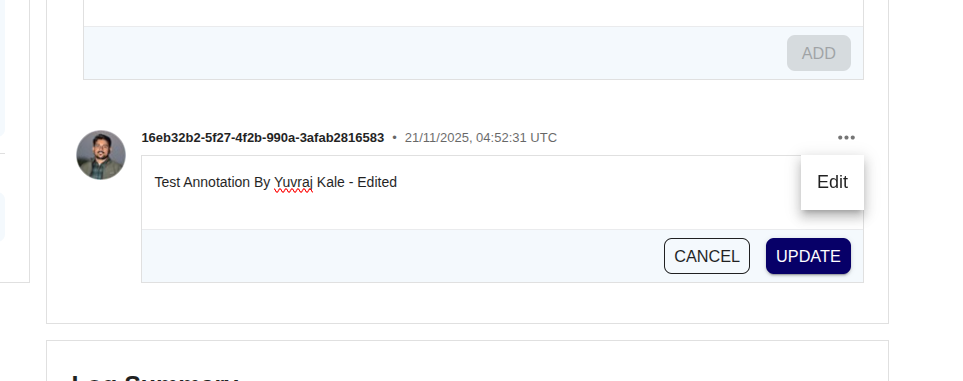
User can edit shift annotation by clicking on Edit button and then click on Update button as shown below:
Comments section
User can see comments in comments section on shift history page as shown in below image.