Getting Started
Follow this guide to install the scaffolder, generate your first widget, and understand the workflows offered by both the CLI and browser UI.
Prerequisites
Python 3.10 or newer (the CI pipeline runs on 3.12).
Poetry for dependency management. Using the same tool as CI keeps lock files reproducible.
Docker (optional) if you prefer containerised runs or need to execute the
security-scanmake target locally.
Environment Setup
Clone the repository and enter the project directory.
Install dependencies, including the optional groups used by tests and docs:
poetry install --with docs,test
(Optional) Activate the Poetry shell so commands resolve to the virtualenv:
poetry shellValidate the install by running the automated test suite:
make test
A passing run confirms that the scaffolder, templates, and unit tests are in sync.
First Widget via CLI
Use the CLI when you want deterministic, scriptable scaffolding or when you are iterating on JSON definitions under version control.
poetry run python octopus_widget_scaffolder.py \
  --name MyWidget \
  --kind mix \
  --ops-json '{"operations": []}' \
  --app-id 12345
--nameaccepts PascalCase. The scaffolder emits kebab, camel, and constant cases automatically for template substitutions.--kinddetermines the default template behaviour when--ops-jsonis not supplied. Set it tomixwhen providing an explicit list of operations.--ops-jsonis a JSON array. Each entry declarestype,gql, and optionalvars. Use this form to combine polling, streaming, and mutation operations.--app-idseeds the generated.gitlab-ci.ymlwith the correct project ID so downstream pipelines integrate cleanly with GitLab.
The scaffolder also applies a few schema-level upgrades automatically:
If both polling and stream operations are present, it emits a
useLiveDataconfig toggle and gates runtime data flow to the selected mode.If the GraphQL vars include
fullNamesand optionalendpoint, it replaces those top-level config fields with a singleattributesinput usingINPUT_TANGO_ATTRIBUTES.
The CLI streams progress to stdout and writes output under
output/ska-octopus-<kebab-widget-name>-widget/ together with a compressed zip
archive that you
can attach to issue trackers or download from CI artefacts.
First Widget via the UI
Launch the FastAPI interface for an interactive experience or when collaborating with non-developers who prefer forms over command lines.
make ui
This target spins up a Docker container preconfigured with the runtime
dependencies and publishes the UI at http://localhost:5002. When running
natively, the poetry run uvicorn app:app --reload --host 0.0.0.0 --port 5002
command provides the same behaviour.
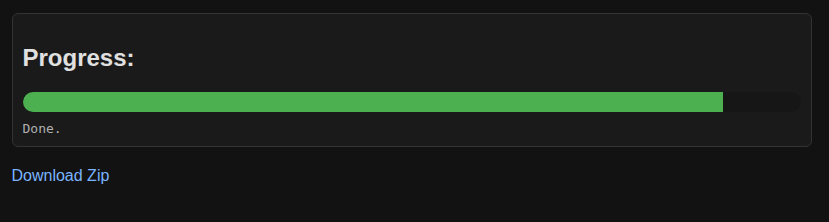
Progress view placeholder
Fill in the form with the widget metadata, GraphQL selection, and optional variables JSON.
Click Generate Widget. Streaming status updates will appear immediately, mirroring the CLI output.
Once generation completes, use the Download widget zip link to save the archive. A copy is also written to
output/in your working directory.
Tip
Keep the browser console open while testing. Any validation errors or JSON parsing issues are reported both in the UI and the developer tools console.
Verify the Result
Inspect the generated README inside the widget directory for usage guidance tailored to the selected operation types.
Run
npm installfollowed bynpm run buildwithin the widget folder to ensure dependencies resolve correctly.Import the widget into a local Octopus dashboard instance to validate data flow end-to-end before pushing to GitLab.
Follow Test Auto-Build Widget Step for a step-by-step walkthrough of wiring the widget into
ska-octopus-frontendvia a Vite path alias.
Troubleshooting
JSON parsing errors – Ensure quotes are escaped correctly when passing JSON via the CLI. Storing the payload in a file and using
--ops-filecan make longer definitions easier to maintain.Port already in use – Override the port (
PORT=5003 make ui) or pass a custom--portflag when runninguvicorndirectly, then stop any service still bound to the old value.Missing output folder – The scaffolder only writes files after every template renders successfully. Review the terminal output for the failing template name and adjust the source JSON accordingly.