MCCS in the ON state

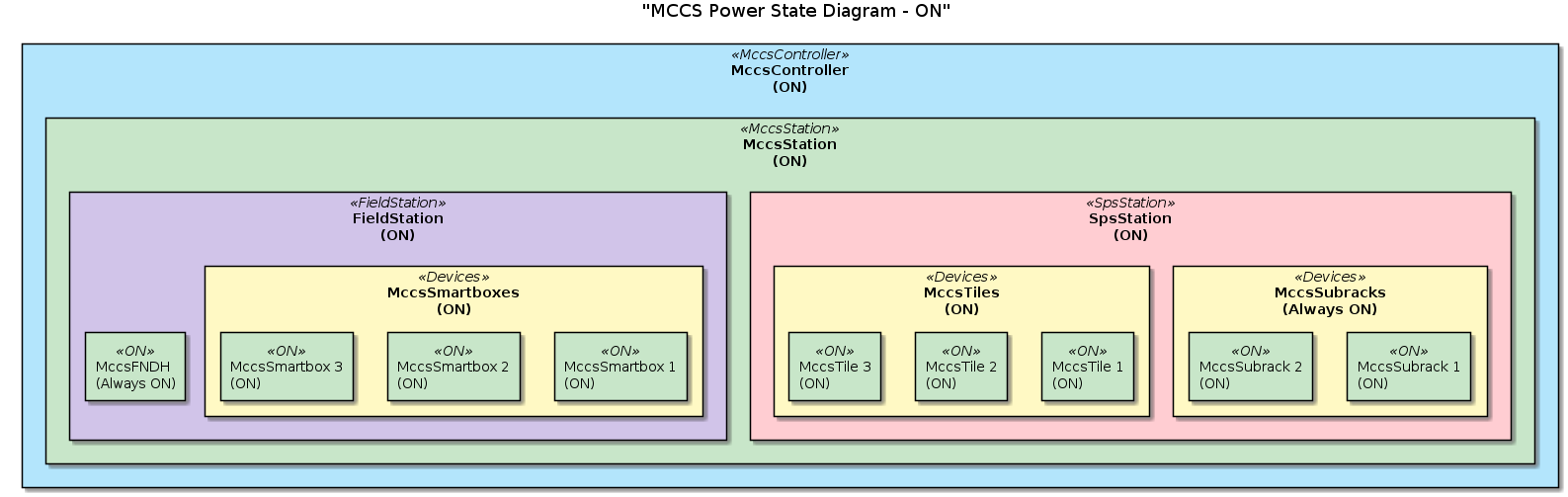
The diagram below indicates an MCCS which is ON.

Every device is ON, therefore MCCS is ON.
@startuml
title "MCCS Power State Diagram - ON"

' Define colors for the different states
skinparam rectangle {
  BackgroundColor<<MccsController>> #B3E5FC
  BackgroundColor<<MccsStation>> #C8E6C9
  BackgroundColor<<SpsStation>> #FFCDD2
  BackgroundColor<<FieldStation>> #D1C4E9
  BackgroundColor<<Devices>> #FFF9C4
  BackgroundColor<<Off>> #FFAB91
  BackgroundColor<<ON>> #C8E6C9
}

' Define the devices and their states
rectangle "MccsController\n(ON)" <<MccsController>> {
  rectangle "MccsStation\n(ON)" <<MccsStation>> {
    rectangle "SpsStation\n(ON)" <<SpsStation>> {
      
      rectangle "MccsSubracks\n(Always ON)" <<Devices>> {
        rectangle "MccsSubrack 1\n(ON)" <<ON>> {
        }
        rectangle "MccsSubrack 2\n(ON)" <<ON>> {
        }
      }

      rectangle "MccsTiles\n(ON)" <<Devices>> {
        rectangle "MccsTile 1\n(ON)" <<ON>> {
        }
        rectangle "MccsTile 2\n(ON)" <<ON>> {
        }
        rectangle "MccsTile 3\n(ON)" <<ON>> {
        }
      }
      
    }


    rectangle "FieldStation\n(ON)" <<FieldStation>> {
      rectangle "MccsFNDH\n(Always ON)" <<ON>> {
      }

      rectangle "MccsSmartboxes\n(ON)" <<Devices>> {
        rectangle "MccsSmartbox 1\n(ON)" <<ON>> {
        }
        rectangle "MccsSmartbox 2\n(ON)" <<ON>> {
        }
        rectangle "MccsSmartbox 3\n(ON)" <<ON>> {
        }
      }
    }
  }
}

@enduml